
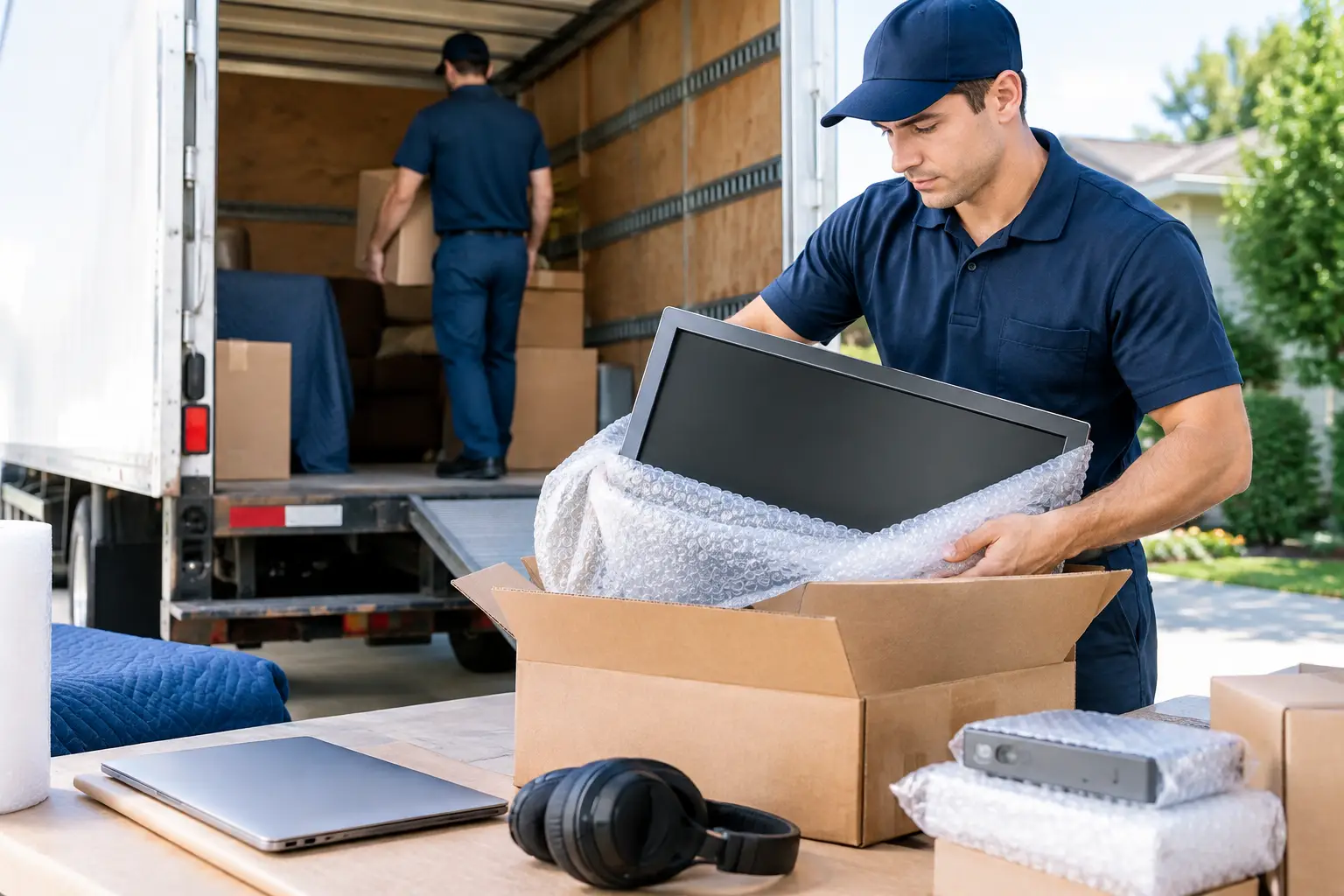
A television with a cracked screen or a computer that will not start after moving day can turn a routine relocation into an expensive problem. Knowing how to pack electronics safely protects the devices your household depends on for work, school, communication, and entertainment. The goal is not simply to put everything in a box. It is to prevent impact damage, loose parts, moisture exposure, and pressure on fragile screens.
Electronics need a little more planning than dishes or clothing, but careful packing is manageable when you work in the right order. Start early, use the correct materials, and keep high-value devices under your control throughout the move.
Start With Photos, Backups, and a Cable Plan
Before unplugging anything, take clear photos of the back of your TV, desktop computer, Wi-Fi equipment, gaming console, printer, or entertainment center. These photos make reconnection faster when you arrive at your new home. They can also help identify a missing cable before the moving truck leaves.
Back up files from computers, tablets, and external drives before packing. A carefully packed device is less likely to be damaged, but no move is completely free of risk. Save essential documents, family photos, work files, and other irreplaceable data to a secure cloud account or a separate backup drive that travels with you.
Unplug electronics only after they have been fully powered down. Allow desktop computers, game consoles, and other equipment that produces heat to cool before wrapping them. Then label every cable with painter’s tape or a cable tag. A simple label such as “TV HDMI 1” or “office monitor power” can save a frustrating hour of sorting through identical cords.
Place cables, remotes, chargers, screws, adapters, and small accessories in labeled resealable bags. Keep each bag with its matching device when possible, but do not tape it directly to a screen or finished surface. Adhesive can leave residue or damage a delicate coating.
Gather Packing Materials That Actually Protect Devices
The original box is usually the best option for televisions, monitors, computers, and printers because it was designed around the item’s dimensions. If you still have it, use the original molded inserts and packaging. If not, a properly sized moving box with quality padding can provide strong protection.
Avoid using grocery bags, thin trash bags, newspaper directly against screens, or oversized boxes filled with loose items. These materials shift too easily and can create pressure points. Electronics should fit securely without being forced into a box.
For most household electronics, gather these supplies:
- Sturdy small and medium moving boxes
- Anti-static bubble wrap or anti-static bags for sensitive components
- Regular bubble wrap, packing paper, and foam corner protectors
- Screen or TV boxes sized for the device
- Packing tape, permanent markers, and resealable bags
- Moving blankets for extra protection during loading
Regular bubble wrap is useful for outer cushioning, but anti-static material is the better choice for exposed computer parts, hard drives, graphics cards, and other sensitive components. If you are unsure whether an item needs anti-static protection, use it for devices with exposed circuitry or removable internal parts.
How to Pack Electronics Safely by Type
Different electronics fail in different ways. A television is most vulnerable at the screen and corners, while a desktop computer can be damaged by shifting internal components. Pack according to the device rather than using one method for everything.
TVs and Computer Monitors
Never lay a flat-screen TV or monitor face-down on a hard surface. Keep it upright while packing, loading, and transporting whenever possible. Remove the stand if the manufacturer allows it, wrap the stand separately, and place screws in a labeled bag.
Cover the screen with a clean microfiber cloth or a layer of packing paper, then add foam corner protectors. Wrap the unit with bubble wrap or a padded moving blanket, securing the padding around the back rather than pulling tape across the screen. Place the TV in a correctly sized TV box with the screen vertical. Fill open space with soft packing material so the unit cannot shift.
For a large or high-end television, professional packing is often worth considering. The cost of a specialty box and careful handling is small compared with replacing a damaged screen.
Desktop Computers, Laptops, and Tablets
For desktop computers, remove discs from drives and disconnect all external accessories. If the computer has a heavy graphics card, large cooling system, or other substantial internal part, consult the manufacturer’s guidance. In some cases, removing and packing that component separately can prevent it from breaking loose during transport.
Wrap the computer tower in anti-static material first, then add a protective outer layer. Use a snug box and cushion all sides. Do not pack heavy books, tools, or kitchen items in the same box.
Laptops and tablets should travel with you if possible. Place each device in a padded case, sleeve, or its original box. Keep them away from keys, water bottles, and other items that could scratch or crush them. Do not leave them in a hot vehicle for long periods, especially during a Texas move, because excessive heat can affect batteries and screens.
Gaming Consoles, Audio Equipment, and Small Devices
Gaming consoles, speakers, sound bars, streaming devices, and stereo equipment should be individually wrapped before sharing a box. Remove game discs, memory cards, and batteries when practical. Fill gaps with packing paper so items do not bump into one another.
Turntables need extra care. Secure the tonearm, remove the platter if the manufacturer recommends it, and pack the dust cover separately. Do not rely on tape alone to keep moving parts in place.
Printers should be emptied of loose paper and secured according to the manufacturer’s instructions. Inkjet printers may need cartridges removed or protected to prevent leaks. Keep the printer level during transport whenever possible.
Handle Batteries and Climate Risks Carefully
Lithium-ion batteries require special attention. Power banks, spare laptop batteries, rechargeable tool batteries, and loose camera batteries should not be tossed into a box with metal objects or loose cords. Cover battery terminals with nonconductive tape or use individual protective cases to prevent contact.
Whenever possible, carry spare lithium batteries with you rather than loading them into the moving truck. Do not pack damaged, swollen, leaking, or overheating batteries. These should be handled through an approved local recycling or hazardous-waste program.
Temperature and moisture are also real concerns. Electronics should not sit in direct sun, heavy rain, or an unconditioned storage space for longer than necessary. If a device has been exposed to cold or heat, let it return to room temperature before powering it on. Condensation can form inside equipment when temperatures change quickly.
Load Electronics in the Right Order
Packing matters, but loading matters just as much. Mark boxes on multiple sides with “Fragile” and “This Side Up,” but do not assume those labels alone will protect the contents. Tell your moving crew which boxes contain electronics and which items should remain upright.
Load electronic boxes on a flat, stable surface where they will not have heavy furniture stacked on top. TVs and monitors should be secured vertically along a padded wall of the truck, not balanced between loose boxes. Keep electronics away from liquids, cleaning supplies, and items with sharp edges.
For a local Fort Worth or DFW move, it can be smart to transport your most sensitive items yourself. Laptops, backup drives, personal documents, cameras, and small valuables are easier to monitor when they ride with you. For larger items such as televisions, desktop setups, and office equipment, insured professional movers can provide the padding, equipment, and loading discipline needed to reduce risk.
Avoid the Most Common Packing Mistakes
The biggest mistake is packing too quickly at the end of moving day. Rushed packing often means cords are lost, screens are wrapped poorly, and multiple devices are placed in boxes that are too large. Another common issue is using blankets without securing them properly, allowing the item to slide while the truck is in motion.
Do not use a device box as a catch-all for household odds and ends. A box labeled “electronics” should contain compatible, lightweight items only. Keep a detailed inventory for expensive equipment, and take photos of the condition of high-value devices before the move. This is especially helpful for office equipment, home workstations, and specialty audio or video gear.
If you are unsure about a large TV, delicate computer system, or business equipment, ask for help before moving day. Great White Moving Company Fort Worth can provide packing support and careful transport for customers who want a more protected, stress-free move. A few extra precautions before loading can help your electronics arrive ready to plug in, reconnect, and use in your new space.
